Whatâs !important #4: Videos & View Transitions, Named Media Queries, How Browsers Work, and More
Neither Chrome, Safari, nor Firefox have shipped new features in the last couple of weeks, but fear not because leading this issue of Whatâs !important is some of the web development industryâs best educators with, frankly, some killer content.
Maintaining video state across different pages using view transitions
Chris Coyier demonstrates how to maintain a videoâs state across different pages using CSS view transitions. He notes that this is fairly easy to do with same-page view transitions, but with multi-page view transitions youâll need to leverage JavaScriptâs pageswap event to save information about the videoâs state in sessionStorage as a JSON string (works with audio and iframes too), and then use that information to restore the state on pagereveal. Yes, thereâs a tiiiiny bit of audio stutter because weâre technically faking it, but itâs still super neat.
Also, CodePen, which Iâm sure you already know was founded by Chris, announced a private beta of CodePen 2.0, which you can request to be a part of. One of the benefits of CodePen 2.0 is that you can create actual projects with multiple files, which means that you can create view transitions in CodePen. Pretty cool!
How to ânameâ media queries
Kevin Powell shows us how to leverage CSS cascade layers to ânameâ media queries. This technique isnât as effective as @custom-media (or even container style queries, as one commenter suggested), but until those are supported in all web browsers, Kevinâs trick is pretty creative.
Adam Argyle reminded us last week that @custom-media is being trialed in Firefox Nightly (no word on container style queries yet), but if you get up to speed on CSS cascade layers, you can utilize Kevinâs trick in the meantime.
Valeâs CSS reset
I do love a good CSS reset. It doesnât matter how many of them I read, I always discover something awesome and add it to my own reset. From Valeâs CSS reset I stole svg:not([fill]) { fill: currentColor; }, but thereâs much more to take away from it than that!
How browsers work
If youâve ever wondered how web browsers actually work â how they get IP addresses, make HTTP requests, parse HTML, build DOM trees, render layouts, and paint, the recently-shipped How Browsers Work by Dmytro Krasun is an incredibly interesting, interactive read. It really makes you wonder about the bottlenecks of web development languages and why certain HTML, CSS, and JavaScript features are the way they are.
How CSS layout works
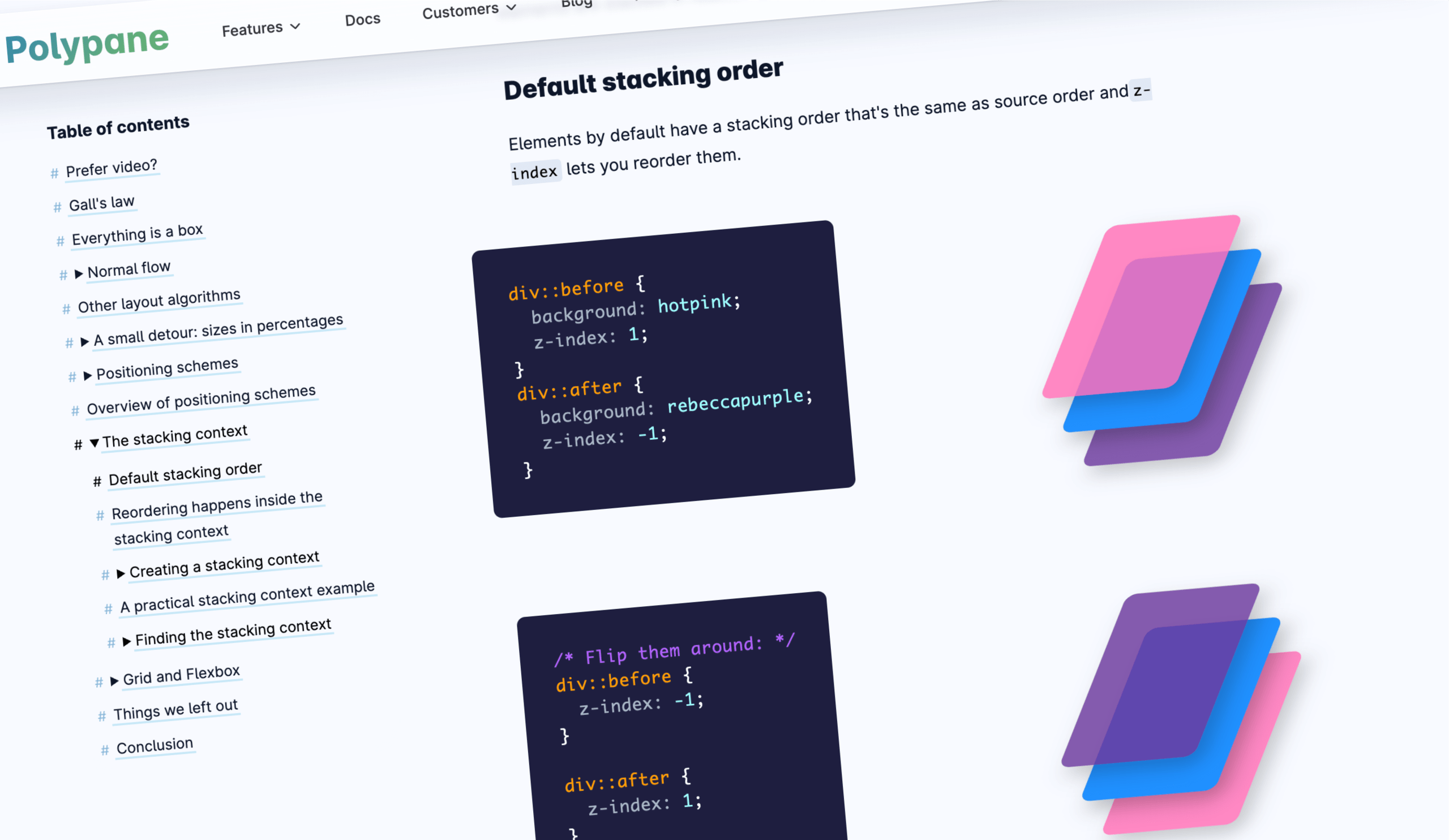
In addition, Polypane explains the fundamentals of CSS layout, including the box model, lines and baselines, positioning schemes, the stacking context, grid layout, and flexbox. If youâre new to CSS, I think these explanations will really help you click with it. If youâre an old-timer (like me), I still think itâs important to learn how these foundational concepts apply to newer CSS features, especially since CSS is evolving exponentially these days.

CSS masonry is (probably) just around the corner
Speaking of layouts, Jen Simmons clarifies when weâll be able to use display: grid-lanes, otherwise known as CSS masonry. While itâs not supported in any web browser yet, Firefox, Safari, and Chrome/Edge are all trialing it, so that could change pretty quickly. Jen provides some polyfills, anyway!
If you want to get ahead of the curve, you can let Sunkanmi Fafowora walk you through display: grid-lanes.

Theming animations using relative color syntax
If youâre obsessed with design systems and organization, and you tend to think of illustration and animation as impressive but messy art forms, Andy Clarkeâs article on theming animations using CSS relative color syntax will truly help you to bridge the gap between art and logic. If CSS variables are your jam, then this article is definitely for you.

Modals vs. pages (and everything in-between)
Modals? Pages? Lightboxes? Dialogs? Tooltips? Understanding the different types of overlays and knowing when to use each one is still pretty confusing, especially since newer CSS features like popovers and interest invokers, while incredibly useful, are making the landscape more cloudy. In short, Ryan Neufeld clears up the whole modal vs. page thing and even provides a framework for deciding which type of overlay to use.

Text scaling support is being trialed in Chrome Canary
You know when youâre dealing with text thatâs been increased or decreased at the OS-level? Wellâ¦if youâre a web developer, maybe you donât. After all, this feature doesnât work on the web! However, Josh Tumath tells us that Chrome Canary is trialing a meta tag that makes web browsers respect this OS setting. If youâre curious, itâs <meta name="text-scale" content="scale">, but Josh goes into more detail and itâs worth a read.
See you next time!